
In the business world, making informed decisions is all about leveraging data. However, handling data efficiently is not an easy task. That’s where data pipelines come into play, simplifying the process of moving and transforming data to make it more manageable and useful.
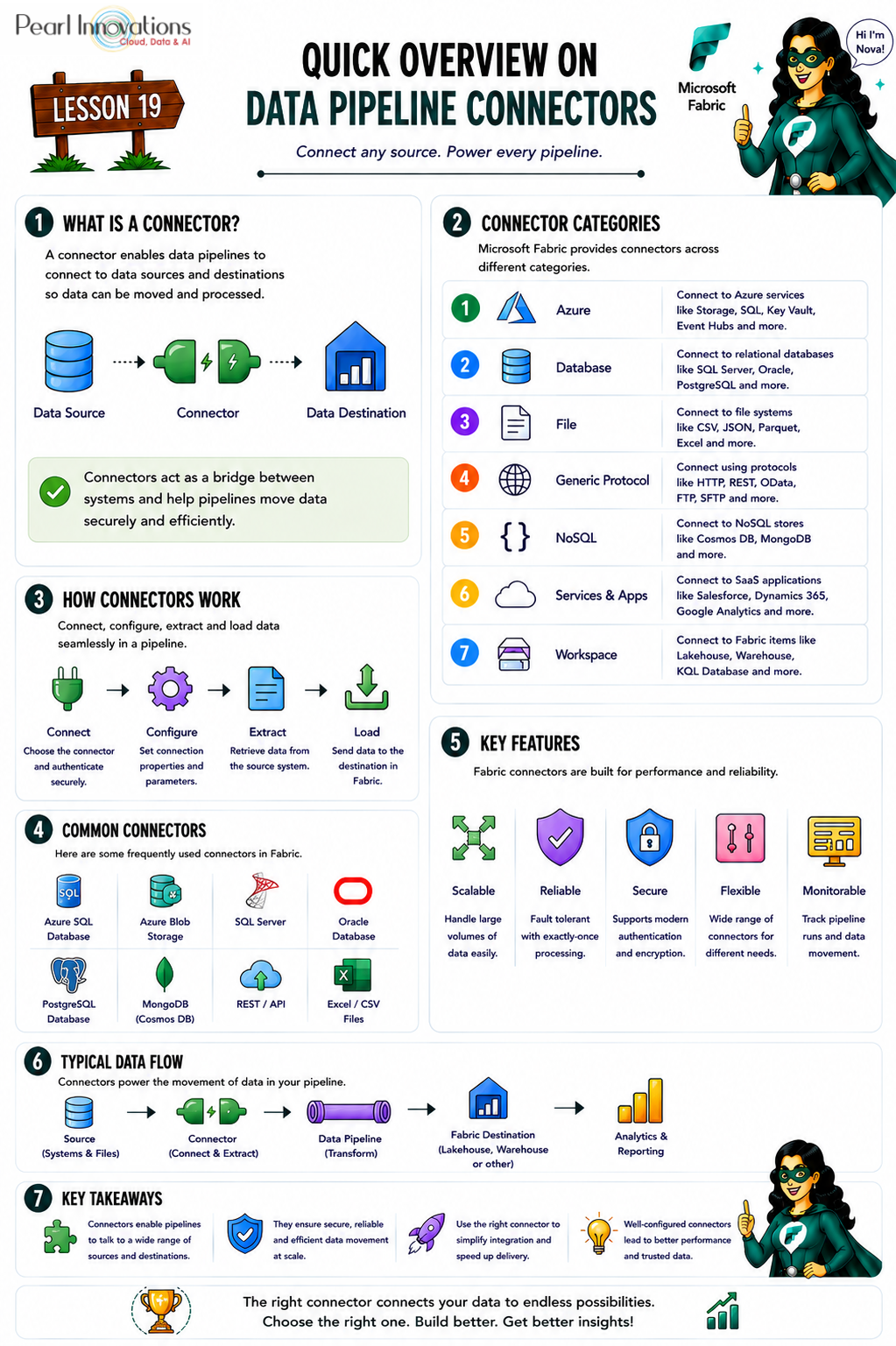
🚀 Learn It in 5 Minutes
Skip the long read.
See the key concepts in one easy-to-follow infographic.
Data pipeline connectors
Data pipeline connectors are tools that enable the seamless flow of data between different sources and destinations in a data pipeline. They extract data from various origins, transform it according to specific rules, and then load it into designated destinations such as data warehouses or lakes. These connectors ensure efficient, real-time, and reliable data movement, supporting organizations in making informed decisions and driving insights.
Data pipeline connectors are used for:
- Extracting data from various sources, such as databases, files, SaaS apps, etc.
- Transforming data according to pre-defined rules such as aggregation, filtering, etc.
- Loading transformed data into various destinations such as cloud storage, lakehouses, warehouses, etc.
- Monitoring the quality, performance, and security of data.
- Automating and streamlining data integration processes, reducing errors and latency.
Key features of data pipeline connectors
- Real-time Processing – Facilitates continuous movement and transformation for timely insights.
- Fault-tolerant Design – Recovers from failures and errors to ensure data quality and consistency.
- Scalable Architecture – Adapts to varying data volumes and velocities, accommodating changes in sources and formats.
- Exactly-Once Processing (EOP) – Guarantees that each data record undergoes processing only once, preventing duplicates.
- User-Friendly Management – Easily configured and monitored by users without the need for extensive coding or maintenance.
These features what has changed is the scale of what you can connect to and how many ways you can move that data once it’s in Fabric.
What’s new: three ingestion experiences, not two
Back in 2023, connectors in Fabric were really evaluated against two surfaces: Dataflow Gen2 and Pipelines (Copy activity). Since then, Microsoft has added a third:
| Experience | What it’s for |
| Dataflow Gen2 | Low-code data transformation, source-only for most connectors (Power Query engine) |
| Pipeline / Copy activity | Orchestrated copy + transform activities, source and destination for most enterprise connectors |
| Copy job (new) | A simplified, purpose-built experience for straightforward source-to-destination copy — including incremental copy — without building a full pipeline |
If you only remember one connector today when you set up ingestion, check all three columns on Microsoft’s connector list — a connector that’s source-only in Dataflow Gen2 might fully support both source and destination in Copy job or Pipeline.
Data pipeline connectors in Microsoft Fabric
Microsoft now maintains a single, continuously updated master list on Microsoft Learn because the connector catalog has grown from a few dozen entries to 300+, spanning:
- Core Azure services – Azure SQL Database, Azure Data Lake Storage Gen2, Azure Cosmos DB, Azure Synapse Analytics, Azure Databricks, and more
- Databases – SQL Server, PostgreSQL, MySQL, Oracle, SAP HANA, Teradata, Snowflake, IBM Db2, and others
- Files & storage – Amazon S3, Amazon S3 Compatible, Google Cloud Storage, SFTP, FTP, Azure Files
- Fabric-native items – Fabric Lakehouse, Fabric Data Warehouse, Fabric SQL database, Fabric KQL Database
- SaaS & business apps – Salesforce (objects, reports, Service Cloud), Dynamics 365, ServiceNow, Smartsheet, Google Analytics, Google BigQuery
- Generic protocols – REST, HTTP, OData, ODBC
Because this list changes frequently (new connectors and Beta releases land regularly), we’re intentionally not reproducing a static table here — always check the live, authoritative list rather than a snapshot in a blog post.
A connector marked Beta is usable but not yet fully production-supported by Microsoft worth flagging before you build a critical pipeline on top of one.
| Tags | Microsoft Fabric |
| Useful links | |
| MS Learn Modules | |
Test Your Knowledge |
Quiz |