In the dynamic field of data management, Microsoft Fabrics introduces a powerful tool to streamline your analytical workflows the SQL Analytics Endpoint within the Lakehouse framework.
This new solution makes it easy to use SQL for analysing data stored in delta tables, providing a smooth and efficient experience for exploring and analysing data.
A SQL analytics endpoint isn’t unique to Lakehouse anymore. It also auto-provisions for Fabric Warehouse, mirrored databases, SQL databases, and Azure Cosmos DB. The experience and limitations described in this lesson apply the same way across all of them.
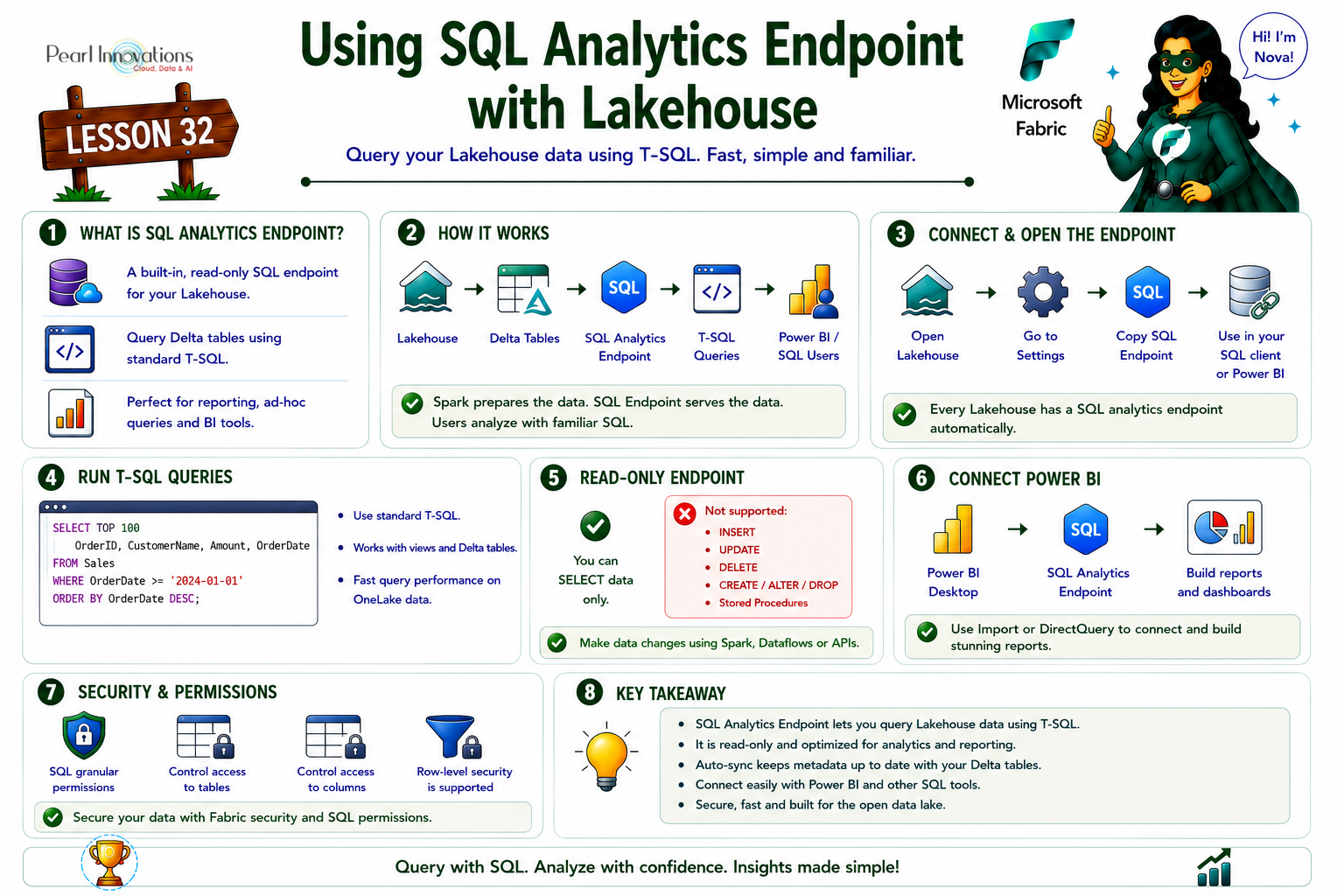
🚀 Learn It in 5 Minutes
Skip the long read.
See the key concepts in one easy-to-follow infographic.
The SQL analytics endpoint with Lakehouse offers the following features
- Query data in Lakehouse delta tables using T-SQL language and TDS protocol.
- Save functions, generate views, and apply SQL security effortlessly with the SQL analytics endpoint.
- Operates in a secure read-only mode over Lakehouse delta tables, ensuring data safety.
- For data modification, easily switch to Lakehouse mode and leverage the strength of Apache Spark.
- Analyse data stored in external storage accounts by creating shortcuts referencing folders in Azure Data Lake or Amazon S3.
How to access SQL analytics endpoint in Microsoft Fabric?
When you create a Lakehouse, it automatically establishes a SQL analytics endpoint, forming a connection to the storage of delta tables within the Lakehouse. Once you’ve created a delta table within the Lakehouse, it becomes immediately accessible for querying through the SQL analytics endpoint, providing a swift and seamless experience for data exploration.
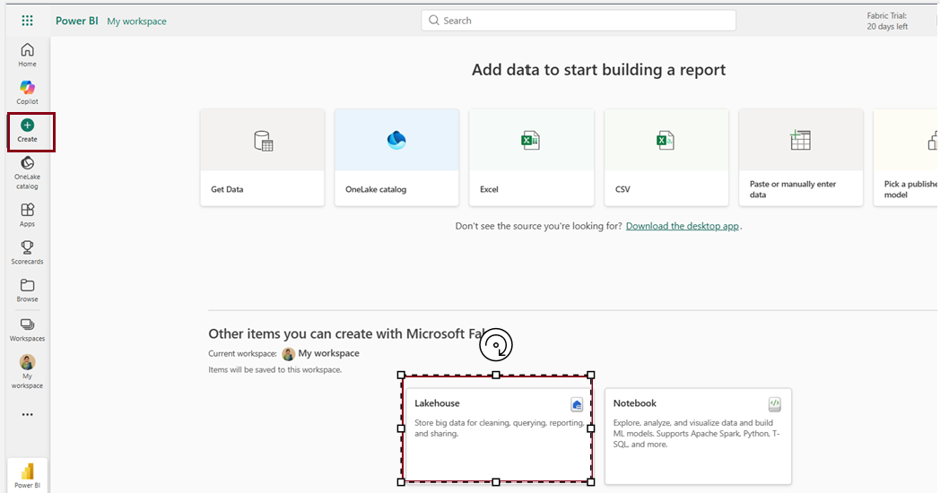
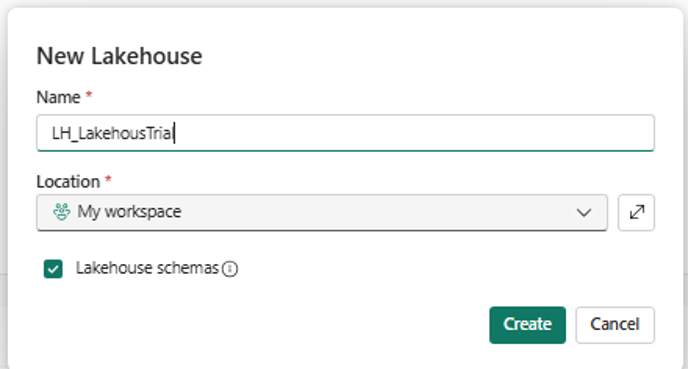
Follow the steps to access SQL analytics endpoint
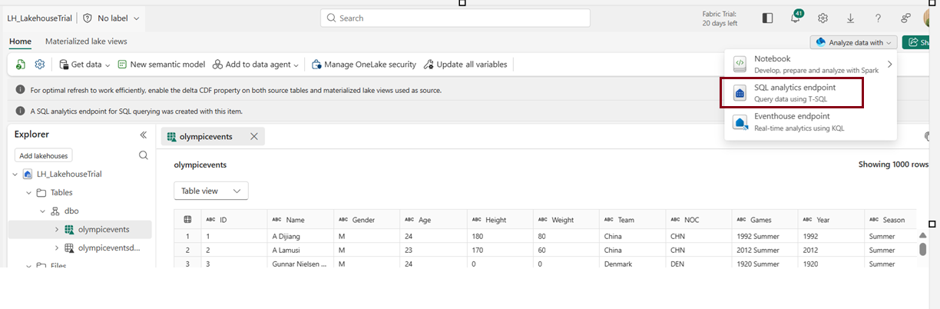
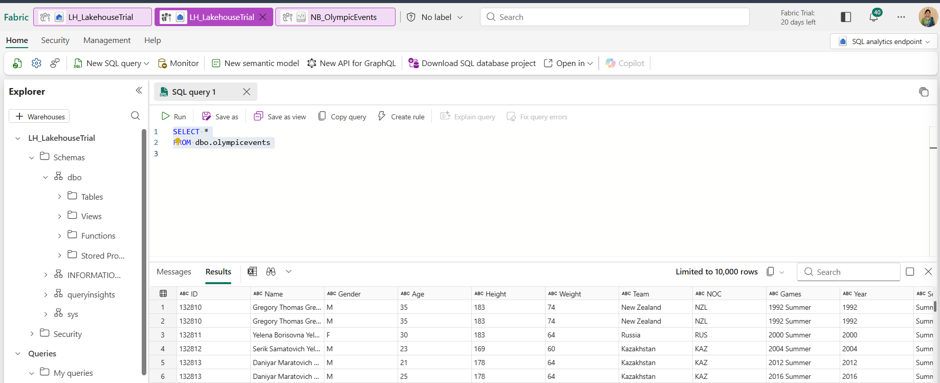
- Functions and views can be saved, and SQL object-level security can be configured.
- To make changes to data in Lakehouse delta tables, switch to lakehouse mode and utilize Apache Spark.
- Make external delta tables visible to the SQL analytics endpoint by using shortcuts in the Table space.
Keeping the SQL analytics endpoint in sync
- Background sync (default) – Fabric automatically detects new or changed Delta tables and updates the endpoint’s metadata; no setup required. It only runs while the endpoint is active and halts after 15 minutes of inactivity.
SQL Analytics Endpoint Security
Ensuring data security is a priority. With the SQL analytics endpoint, you can establish object-level security rules for accessing data. It’s important to note that these security measures are specifically designed for accessing data through the SQL analytics endpoint. To ensure that your data stays secure and inaccessible through other methods, it’s crucial to configure workspace roles and permissions.
Since September 2025, Fabric no longer auto-creates a default Power BI semantic model when you create a lakehouse (existing default models were decoupled by November 30, 2025 into independent semantic models). If a later lesson in this series assumes a default dataset exists automatically, that assumption needs updating — readers now need to create a semantic model explicitly against the SQL analytics endpoint’s TDS connection.
| Tags | Microsoft Fabric |
| MS Learn Modules | |
Test Your Knowledge |
Quiz |